For product teams
Sprint reviews that rebuild themselves
Cue reads what's done from Jira or Linear, merged pull requests from GitHub and active users from Amplitude or PostHog, so the sprint review starts with the numbers already in. Every sprint after is one click, and you present it from your phone while everyone follows on their own screen.
Free during early access.
The problem
The same deck, rebuilt every two weeks
A sprint review is the same deck every time. Only the numbers and the story change. Still, someone duplicates last sprint's file, counts what's done in Jira or Linear, looks up merged pull requests in GitHub, checks active users in Amplitude and pastes each number onto its slide. Then they redraw the velocity chart by hand.
Roadmap reviews, launch updates and stakeholder updates go the same way. Every cycle starts with copy-paste, and it's easy to miss the headline that no longer matches the numbers. Then you share your screen and hear “can you go back one slide?”
Cue is built for the deck you present every cycle, not for one-off decks. Wondering how that differs from Google Slides, PowerPoint, Pitch or Gamma? See how Cue compares.
How Cue helps
Set it up once. Every sprint after is one click.
-
Read the sprint from your tools
Bind slides to Jira or Linear for what's done, GitHub for merged pull requests, and Amplitude or PostHog for active users, retention and activation. Each slide shows when its numbers were read.
-
Next sprint, one click
Start next review copies the deck, reads every bound number again, writes a What changed slide from the difference and flags any slide whose story the new numbers no longer support.
-
Show the product in the deck
Demo slides draw a chat, a mobile app or a web app in your brand and play it one click at a time. Describe the flow and Cue writes it. People on the call open a follow link, and demos play on their screens too.
-
Edit from Claude, ChatGPT or Cursor
Add Cue's MCP server to your AI. It can create decks, edit slides, bind data and start the next review, acting as you with your role. Every change is a version you can restore.
Your roadmap review or launch update already lives in PowerPoint or Google Slides? Import it, and Cue redraws every slide in your brand kit as slides you can edit, bind to data and present.
Templates
Start from a template
Each template has the slides that review needs and a presenter note on every slide. Bind its numbers once, and every cycle after starts with one click.
-

Every two weeks
Sprint review template
8 slides: the sprint goal, met or missed, the sprint in numbers, velocity, a demo of what shipped, plan vs actual, carry-over and the retro. Reads from Jira or Linear for what's done, GitHub for merged pull requests.
See the sprint review template -

Every week
Weekly business review template
8 slides: the headline, four key metrics, an 8-week trend, what changed, goals, risks and asks, the next two weeks and the decision you need. Reads active users from Amplitude or PostHog, or a Google Sheet.
See the weekly business review template
Or start from your own deck, or paste a brief and Cue writes one. See all templates.
Where your numbers come from
From the tools your team already works in
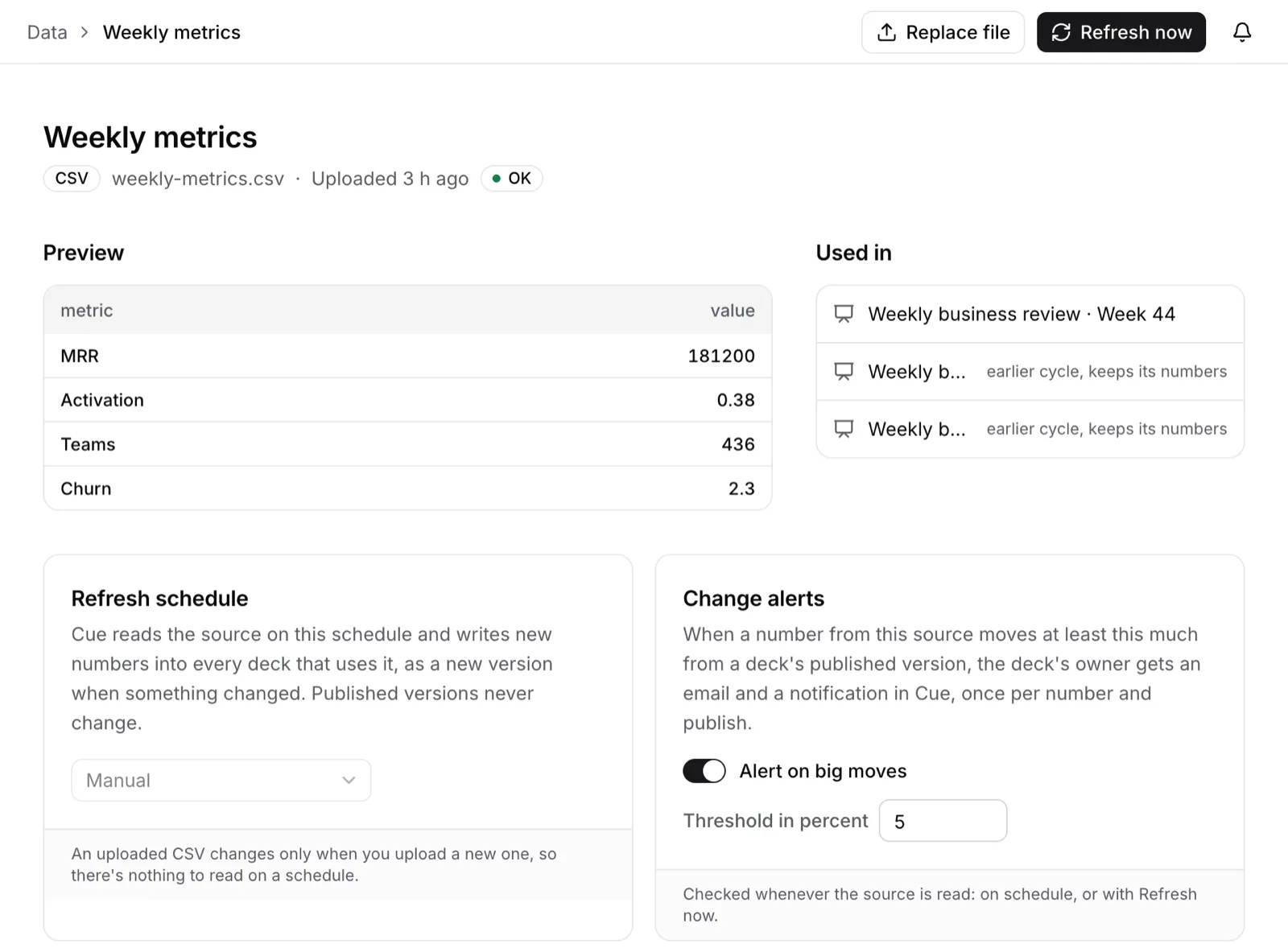
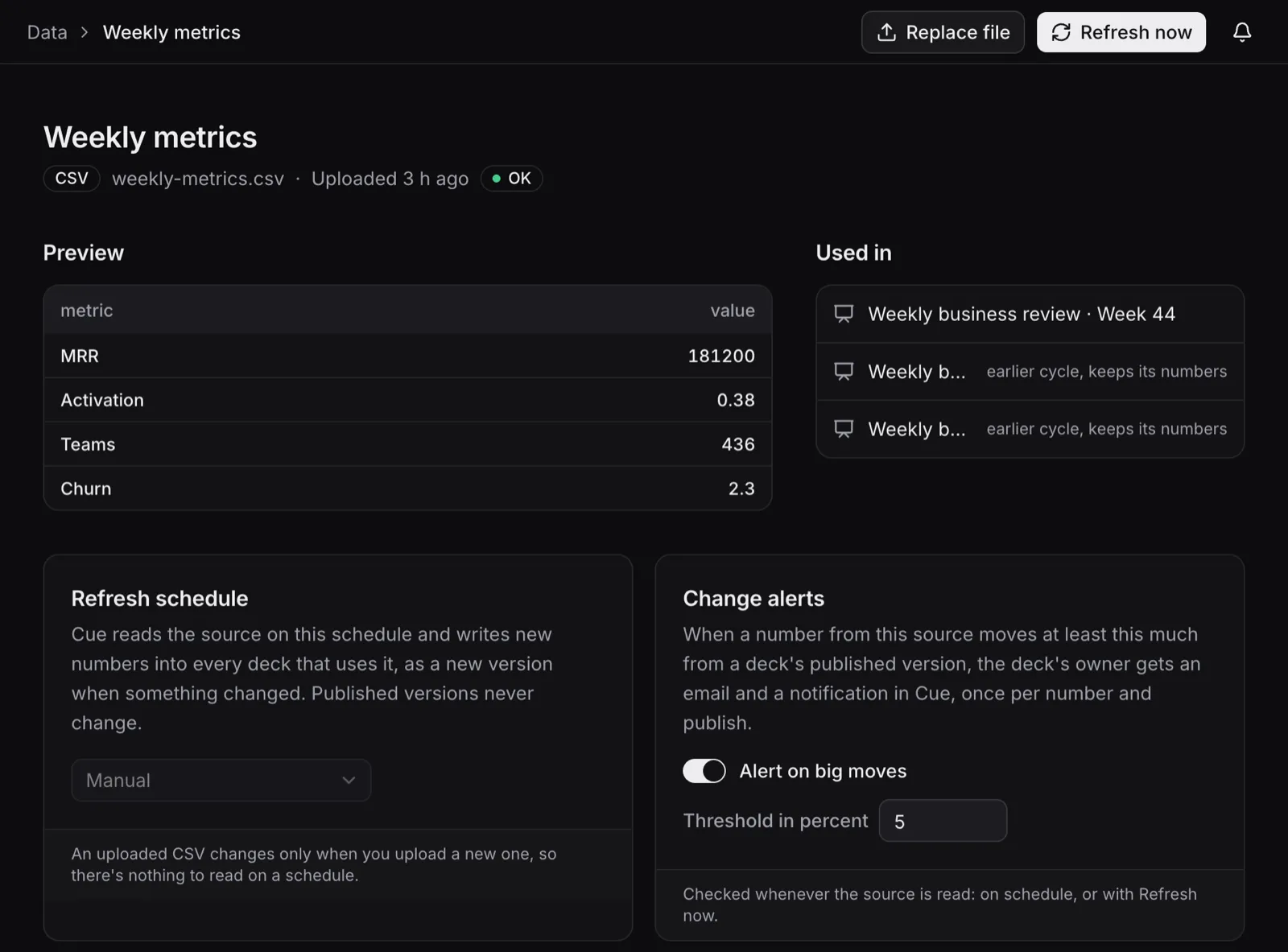
Bind a number, chart or table to its source instead of pasting it. Sources refresh every hour or every day, and you can see which decks use a source before you change it.
- Jira
- Confluence
- Linear
- GitHub
- Notion
- Amplitude
- PostHog
- Mixpanel
- Google Sheets
- CSV files
- JSON URLs
- Any MCP server
Each person connects their own account. Cue only ever calls tools that read.
Which tools can Cue read the sprint from?
Jira and Confluence, Linear, Notion and GitHub, each through your own account, and Cue only ever calls their tools that read. Product numbers come from Amplitude, PostHog or Mixpanel. You can also connect any other MCP server, or bind slides to a Google Sheet, a CSV file or a JSON URL.
Our roadmap review lives in Google Slides. Can we bring it?
Yes. Import a .pptx (from PowerPoint, Keynote or Gamma) or pick a Google Slides deck, and Cue redraws every slide in your brand kit as slides you can edit, bind to live data and present. It tells you what didn't carry over, like animations and video. Any deck also downloads as an editable PowerPoint file or a PDF.
What does Cue cost?
Nothing during early access: every workspace gets every feature, and there's no card to enter. Later, Team will be €15 per seat per month. Seats are for people who edit: viewers and commenters are free. See pricing.
Run your next sprint review in Cue
Sign up with your email, import your brand and start from the sprint review template. Free during early access.